

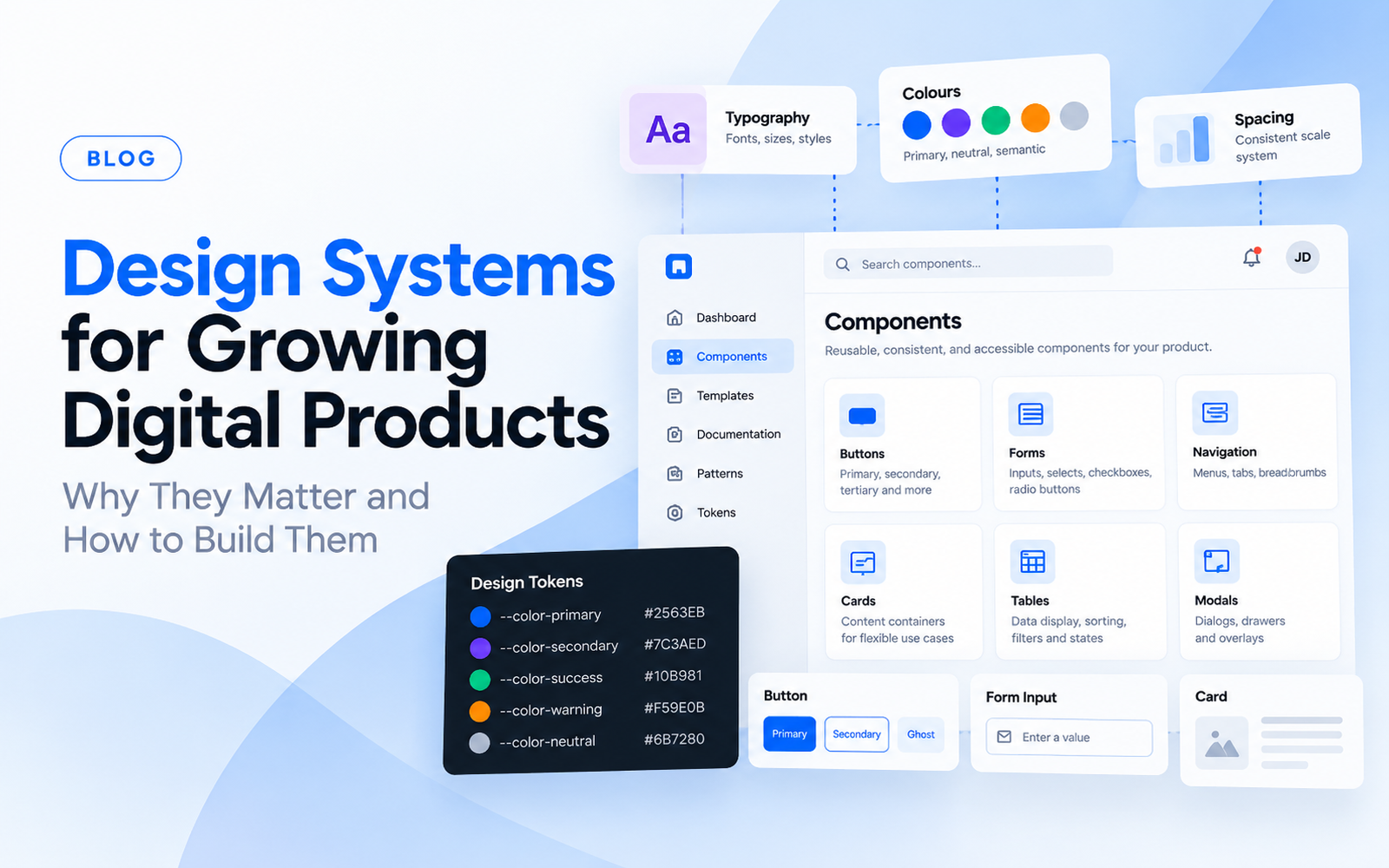
A digital product can start with a handful of screens. A few months later, it may have dozens of workflows, hundreds of components, and multiple teams working on it. This is where consistency becomes difficult. One designer may use a different button style. Another may create a new form pattern. Developers may implement similar components differently.
The product still works, but the experience becomes harder to maintain. A design system helps solve this problem.
What Is a Design System?
A design system is a collection of reusable design components, rules, patterns, and documentation that help teams create consistent digital experiences. It can include:
- Typography
- Colours
- Spacing
- Buttons
- Forms
- Navigation
- Tables
- Cards
- Modals
- Icons
- Interaction patterns
- Accessibility rules
- Content guidelines
A design system is more than a library of UI components. It also provides shared rules for how those components should be used.
Why Do Growing Products Need Design Systems?
Small products can sometimes operate without a formal design system. As the product grows, repeated design decisions become expensive. Without shared patterns, teams may repeatedly decide:
- How a button should behave
- How errors should appear
- How forms should be structured
- How tables should work
- How spacing should be handled
- How mobile states should behave
A design system moves these decisions from repeated discussions into reusable standards.
Signs Your Product May Need a Design System
You Keep Designing the Same Components
If designers repeatedly create buttons, cards, forms, and tables from scratch, reusable components may be needed.
Different Screens Look Inconsistent
Visual inconsistency can appear across colours, spacing, typography, and interaction patterns.
Developers Rebuild Components
When developers repeatedly implement similar components, design and engineering may benefit from shared definitions.
Multiple designers work on the same product.
More contributors increase the need for shared rules.
New Features Take Longer to Design
If designers need to solve the same UI problems repeatedly, a system can reduce unnecessary work.
The product has multiple platforms
Web, mobile, and other interfaces can become difficult to keep consistent without shared principles.
What Should a Design System Contain?
A useful design system can be structured in layers.
Foundations
These define the visual language. Examples include:
- Colours
- Typography
- Spacing
- Grid
- Elevation
- Icons
Components
These are reusable interface elements. Examples include:
- Buttons
- Inputs
- Dropdowns
- Cards
- Tabs
- Modals
- Tables
Patterns
Patterns combine components to support common tasks. Examples include:
- Search
- Login
- Checkout
- Filters
- Onboarding
- Data entry
- Approval workflows
Guidelines
Guidelines explain how and when elements should be used. This prevents components from being used inconsistently.
Design Tokens Make Systems Easier to Scale
Design tokens represent values such as colour, spacing, typography and border radius in a reusable format. For example, instead of manually defining the same colour across dozens of screens, a token can represent that value. When the value changes, the system can be updated more systematically. Tokens can also support closer alignment between design and development.
A Design System Is Not a UI Kit
The terms are sometimes used interchangeably. A UI kit usually contains reusable visual components. A design system is broader. It can include:
Components + Patterns + Rules + Documentation + Governance
The difference becomes important when multiple teams are working on a large product.
Design Systems Need Governance
A design system can become outdated if nobody maintains it. Someone needs to decide:
- Who can create new components?
- How are changes reviewed?
- Which components are approved?
- How are deprecated components handled?
- How are designers and developers informed?
Without governance, a design system can become another source of inconsistency.
Designers and Developers Should Build It Together
A design system should not be created only inside a design tool. Developers need to understand how components behave in the actual product. Designers need to understand technical constraints. Collaboration can cover:
- Component states
- Responsive behaviour
- Accessibility
- Interaction rules
- Naming
- Tokens
- Documentation
This makes the system more practical to implement.
Accessibility Should Be Built Into the System
A design system is an opportunity to establish accessibility standards across the product. For example, shared components can define:
- Focus states
- Keyboard behaviour
- Contrast requirements
- Error states
- Touch target sizes
- Accessible labels
When these requirements are built into reusable components, teams do not need to solve the same accessibility problems repeatedly.
AI Is Also Changing Design Systems
AI-assisted design and development are increasing the importance of structured design systems. AI tools can generate interfaces quickly, but generated interfaces can become inconsistent when they do not have clear design rules.
A well-defined system provides reusable components and constraints that can help maintain consistency across generated experiences. This makes design systems increasingly relevant as AI becomes part of product development workflows.
How to Build a Design System
A practical process can start with an audit.
Step 1: Audit the Existing Product
Identify repeated components, inconsistencies, and design debt.
Step 2: Define Foundations
Establish typography, colour, spacing and other foundational rules.
Step 3: Create Core Components
Start with the components used most frequently.
Step 4: Define States
Document default, hover, active, disabled, loading, error and other relevant states.
Step 5: Build Patterns
Combine components into common product workflows.
Step 6: Document Usage
Explain when components should and should not be used.
Step 7: Connect Design and Development
Align the design system with the actual codebase.
Step 8: Maintain the System
Review components as the product evolves.
Should Startups Build a Design System?
A startup does not always need a large enterprise-level design system from day one. The system should match the product’s stage. For an early MVP, a lightweight component library may be enough.
As the product gains users and new features are introduced, the system can become more structured. The goal is not to create documentation for its own sake. The goal is to reduce repeated work and improve consistency.
How a Design System Supports Product Growth
A well-maintained design system can help teams:
- Design new features faster
- Maintain visual consistency
- Reduce duplicated components
- Improve developer handoff
- Support accessibility
- Simplify product expansion
- Make design decisions easier to communicate
It does not remove the need for designers. It gives designers a stronger foundation for solving new problems.
Final Thoughts
A design system becomes valuable when a product has enough complexity for inconsistency and repeated design decisions to become expensive. It should not be treated as a static library.
A strong system evolves with the product, technology, and users. For growing SaaS and digital products, design systems can create a shared language between design, product, and engineering teams.
FAQs
What is a design system?
A design system is a collection of reusable components, design rules, patterns and documentation used to create consistent digital products.
What is the difference between a UI kit and a design system?
A UI kit mainly provides reusable visual components. A design system is broader and can include foundations, components, patterns, guidelines, documentation, and governance.
When should a startup create a design system?
A startup can begin with a lightweight component library and expand it as the product, team and number of interfaces grow.
What are design tokens?
Design tokens are reusable values for things such as colour, typography, spacing and other design properties.
Should developers be involved in a design system?
Yes. Collaboration between designers and developers helps ensure that components are practical, accessible and aligned with the actual product code.
Can design systems improve development speed?
They can reduce repeated implementation and design decisions by providing reusable patterns and agreed standards.
Do design systems improve accessibility?
They can. Shared components can include accessibility requirements such as focus states, keyboard behaviour, contrast and accessible labels.
Are design systems useful for AI-powered products?
Yes. Structured components and clear rules can help maintain consistency when AI tools are being used to generate or modify product interfaces.
Does every digital product need a design system?
Not necessarily. The level of structure should match the product’s size, complexity and team. A small product may only need a lightweight component library.