

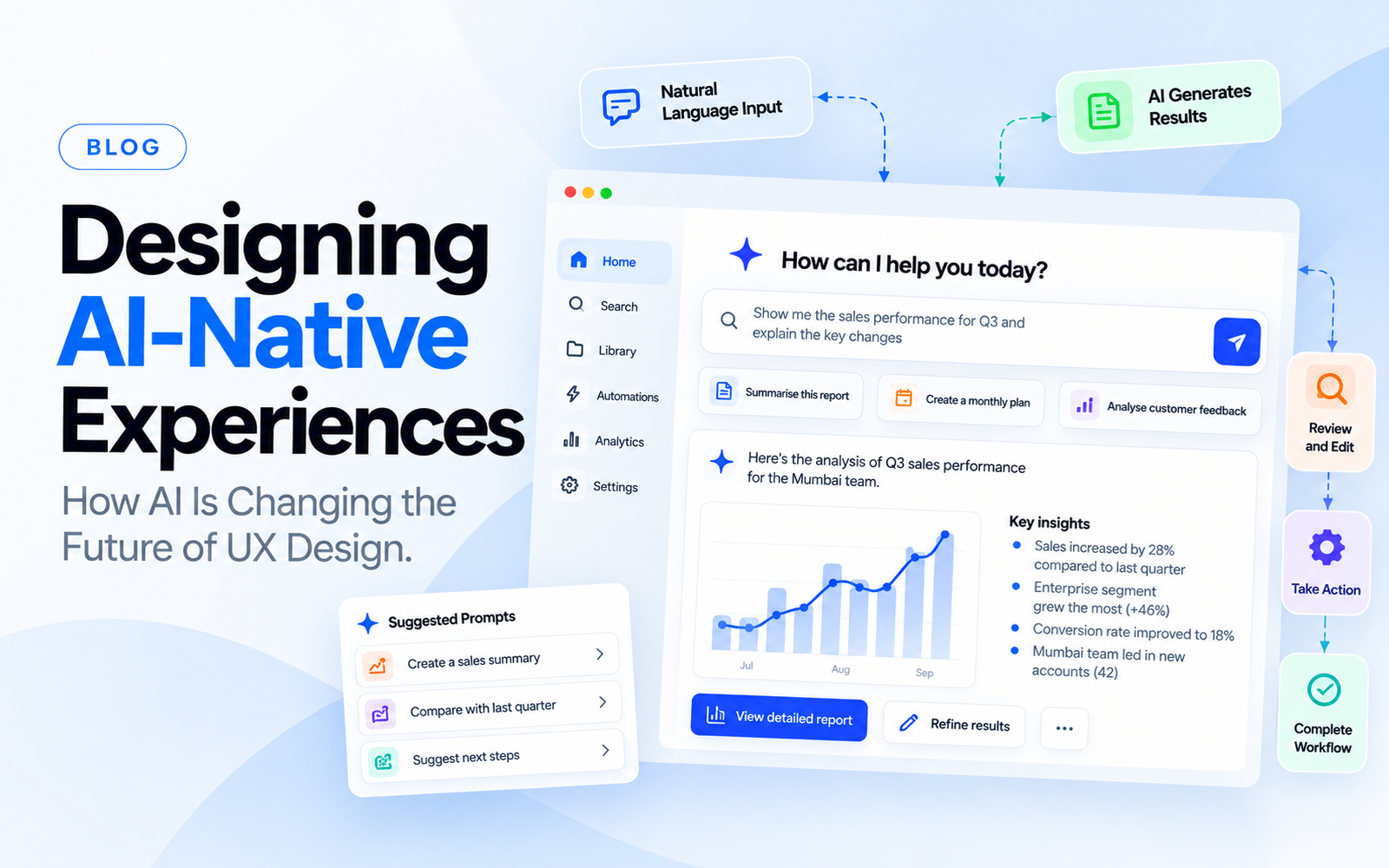
AI is changing more than the way digital products are built.
It is also changing the interface users interact with.
Traditional software often follows a predictable structure:
Click → Select → Enter → Submit → Receive result
AI-powered products can work differently.
A user may describe an outcome in natural language, review an AI-generated result, make corrections and ask the system to continue.
This creates a different UX problem.
The designer is no longer only deciding what appears on a screen. The designer may also need to define how users give instructions, review AI output, correct mistakes and maintain control.
What Is AI-Native UX?
AI-native UX refers to product experiences where AI is a core part of how users interact with the product.
AI is not simply added as a small feature.
It can influence:
- Navigation
- Search
- Content creation
- Recommendations
- Automation
- Decision support
- Personalisation
- Workflow execution
The interface may become adaptive rather than completely fixed.
Traditional UX vs AI-Native UX
Traditional software is often built around predefined actions.
AI-powered software can interpret more open-ended input.
For example, a traditional reporting product may require users to:
Choose date → Select department → Select metric → Apply filter → Generate report
An AI-enabled product might allow:
“Show me the sales performance of the Mumbai team for the last quarter and explain the main changes.”
The system can interpret the request and produce a result.
That does not eliminate interface design.
It changes what needs to be designed.
Natural Language Is Not a Complete Interface
It can be tempting to assume that AI products only need a chat box.
That approach has limitations.
Users may not know what they can ask.
They may not understand why a result was generated.
They may need to review structured information.
They may need to undo an action.
A good AI interface can combine conversational interaction with conventional UI elements.
For example:
Prompt → AI response → Structured result → Suggested actions → Edit → Confirm
The interface should support both exploration and control.
Users Need to Know What the AI Is Doing
AI systems can perform tasks that are difficult to understand from a static interface.
An agent might:
- Search information
- Analyse files
- Generate content
- Update records
- Trigger an external action
- Complete several steps automatically
The user needs enough visibility to understand the process.
Useful interface patterns can include:
- Progress indicators
- Action summaries
- Status updates
- Confirmation steps
- Activity logs
- Review screens
- Undo controls
The exact pattern depends on the risk associated with the action.
Human Control Still Matters
Not every AI action should happen automatically.
A product can distinguish between:
Low-risk actions
These may be automated.
Reviewable actions
The AI prepares the result and the user approves it.
High-impact actions
Explicit confirmation may be required before execution.
This creates a human-in-the-loop experience.
The level of control should be connected to the consequences of an error.
Designing for AI Mistakes
AI can produce incorrect or incomplete results.
UX needs to account for this possibility.
Instead of treating errors as unusual exceptions, designers can build interfaces where users can:
- Review output
- Edit results
- Ask follow-up questions
- Correct information
- Regenerate content
- Undo actions
- See source information where relevant
The interface should make correction easier than starting over.
Explainability Should Match the User’s Need
Users do not always need a technical explanation of how an AI model works.
They may need to know:
Why did this result appear?
What information was used?
Can I change it?
Can I trust this action?
The explanation should be appropriate to the decision the user is making.
AI Changes Search UX
Traditional search expects users to enter keywords.
AI-assisted search can support questions, context and follow-up.
Instead of:
“Revenue Q3”
a user might ask:
“Which product category contributed most to the revenue increase in Q3?”
The product then needs to present the answer in a way that can be understood and verified.
A simple paragraph may not always be the best interface.
Charts, supporting records, citations, filters and follow-up actions may be more useful.
AI Can Change Onboarding
Traditional onboarding often introduces features.
AI products can introduce capabilities instead.
Instead of explaining every menu item, onboarding might show users:
- What the AI can do
- What information it needs
- What actions require approval
- How to correct results
- How to get better outputs
The onboarding experience should teach the user how to work with the system.
AI-Native Products Need Stronger Design Systems
AI interfaces can introduce new components:
- Prompt fields
- Suggested prompts
- AI-generated content
- Streaming responses
- Confidence indicators
- Citations
- Tool status
- Approval controls
- Agent activity
- Error recovery
These patterns should not be designed independently on every screen.
A design system can provide reusable rules for AI interactions.
What Designers Need to Consider
AI-native UX requires designers to think beyond the static screen.
Important questions include:
What happens when the AI succeeds?
What happens when it produces an incomplete result?
What happens when the user disagrees?
What happens when an action is irreversible?
What does the user see while the AI is working?
How can the user regain control?
These questions become part of the product experience.
AI Does Not Remove the Need for UX
AI can generate interfaces, code and content faster.
The product still needs to be useful.
Someone needs to decide:
- What problem is being solved?
- Which AI behaviour is appropriate?
- What should be automated?
- What needs human approval?
- How should uncertainty be communicated?
- What happens when the system is wrong?
Those are product and UX decisions.
Final Thoughts
AI-native UX is moving digital products beyond fixed screens and predefined workflows.
The new challenge is designing interactions where users and intelligent systems work together.
The strongest AI experiences are not necessarily the ones with the most automation.
They are the ones where users understand what the system can do, know what is happening and can intervene when necessary.
For product teams, AI should therefore be treated as an interaction model, not just a technology layer.
FAQs
What is AI-native UX?
AI-native UX refers to product experiences where AI is a central part of how users interact with the product rather than an isolated feature.
How is AI changing UX design?
AI can change search, navigation, content creation, recommendations, automation and workflows. Users may interact with products through natural language and adaptive experiences.
Does every AI product need a chatbot?
No. AI can be integrated into search, recommendations, automation, forms, dashboards and other product interactions.
Why is human control important in AI UX?
AI systems can produce incorrect results or take actions users did not expect. Appropriate review and confirmation mechanisms can help users maintain control.
What is agentic UX?
Agentic UX involves interfaces where AI systems can perform multiple steps or actions on a user’s behalf rather than only providing information.
How should AI errors be handled in UX?
Users should be able to understand, review and correct AI-generated results. The appropriate recovery mechanism depends on the consequences of an error.
Will AI replace UX design?
AI can automate parts of design and development, but product decisions, user understanding, validation and interaction design remain important.